✈️ Your shopping assistant abroad

Scan prices abroad and instantly see them in your currency

Point your camera at a price tag and Price Scanner reads it automatically, then converts it to your home currency at the latest exchange rate.

Free. Works right in your browser — nothing to install.

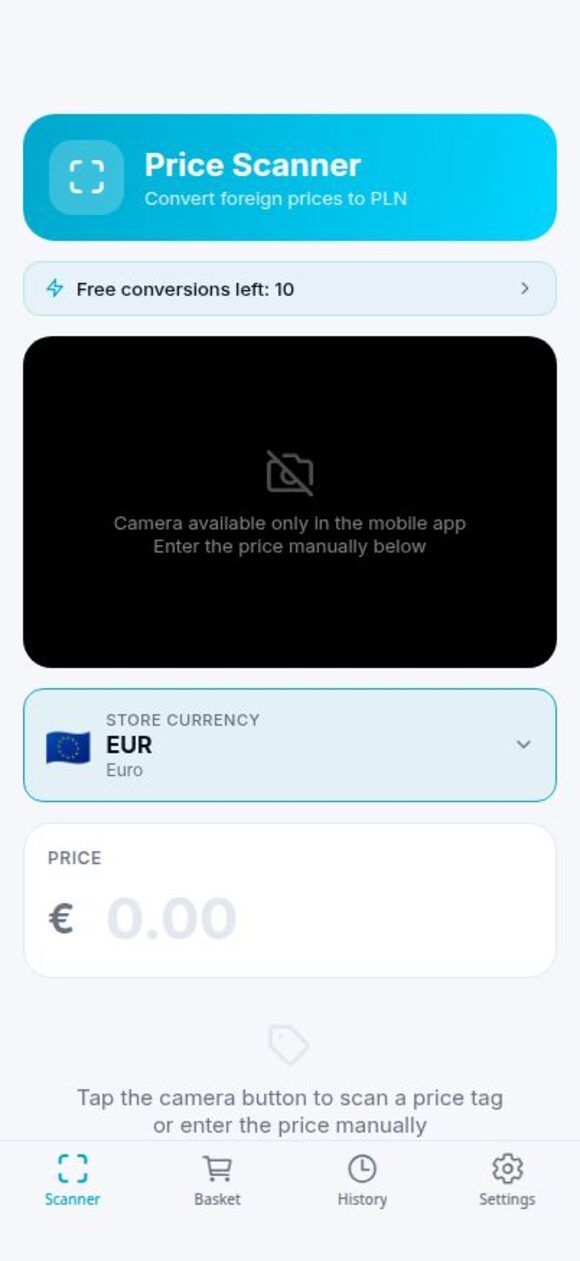
Price Scanner app home screen
30+ currencies with live rates AI reads prices — even handwriting $0 — free to use 8 interface languages

Try it right now

No account needed — convert any amount at the live exchange rate.

Live rates from the European Central Bank

Everything you need for shopping abroad

No more mental math or searching for exchange rates. Price Scanner does it for you.

📷

Scan with your camera

Snap a photo of the price tag and AI reads the price for you — even handwritten signs and unusual foreign price formats.

💱

Instant conversion

Live exchange rates for 30+ currencies. Instantly see what things really cost in your home currency.

🛒

Shopping basket

Add scanned items to your basket and keep track of how much you're spending while you shop.

🎯

Travel budget

Set a daily budget and the app counts down your spending — and emails you if you go over the limit.

🕐

Scan history

Save converted prices and come back to them later — perfect for comparing prices between stores.

📱

Phone & browser

Use it in your browser with no installation, or add the app to your phone's home screen.

Powered by artificial intelligence

Price Scanner uses advanced AI that is highly accurate and understands price tags the way a human does.

✍️

Reads even handwriting

Printed labels, receipts, market chalkboards or handwritten price signs — the AI reads them all with high accuracy.

🧠

Figures out the price

Blurry photo or unusual tag? The AI is smart enough to work out the right price by itself whenever it's needed.

💬

Asks when unsure

If the AI isn't sure which currency is on the tag, it doesn't guess — it simply asks you, so the result is always right.

How does it work?

Three simple steps — and you'll never overpay abroad again.

1

Create a free account

Signing up takes a minute. Your account unlocks unlimited conversions and budget alerts.

2

Scan a price

Point your camera at a price tag in the store. AI reads the price — no typing numbers.

3

See it in your currency

Instantly see the converted amount. Add it to your basket and stay on top of your travel budget.

Install it on your phone

Create an account, then add Price Scanner to your home screen — it works just like a regular app.

🤖 Android (Chrome)

  1. Open the app and create an account.
  2. Tap the menu in the top-right corner of your browser.
  3. Choose "Add to Home screen" (or "Install app").
  4. Done — the Price Scanner icon appears on your phone.

🍎 iPhone (Safari)

  1. Open the app and create an account.
  2. Tap the Share button (square with an arrow).
  3. Choose "Add to Home Screen".
  4. Done — the app installs on your iPhone.
Coming soon to Google Play — we're working on the store version.

Frequently asked questions

Everything you might want to know before you start.

Is Price Scanner free?

Yes — you can use it for free. Just create an account and start scanning.

Do I need to install anything?

No. Price Scanner works right in your browser. If you like, you can add it to your phone's home screen and it behaves like a regular app.

Which currencies are supported?

Over 30 currencies with live exchange rates — including EUR, USD, GBP, PLN, CZK, TRY, THB and many more.

Are my photos stored anywhere?

No. A photo is used only to read the price and is never saved on our servers.

Does it work in my language?

The app interface is available in 8 languages, including English and Polish.

Where do the exchange rates come from?

From the European Central Bank's reference rates, refreshed regularly.
Ready to shop smarter when you travel?

Join for free and stop guessing what things really cost abroad.

Create a free account